Define a camera zone for a video analytics event now
Set a visible boundary, time rule and reviewer before turning a camera region into an event workflow for a real operating space with clear ownership.
- Author
- aiNOW სარედაქციო გუნდი
- Read time
- 8 min
- Published
In this note
- 01 · Analytics zone
- 02 · Zone rule components
- 03 · Comparison: full frame and focused ROI
- 04 · Zone test
- 05 · Zone changes and retesting
- 06 · The owner of the zone rule
- 07 · Limits of a zone definition
- 08 · Zone brief
- 09 · Frequently asked questions
- 10 · Can a zone be defined if the camera moves?
- 11 · Related reading
- 12 · Who approves a change to the zone boundary?
TL;DR: Define a video analytics zone as a visible area with a boundary, time rule and event condition that a reviewer can understand. A full camera frame is rarely a complete business rule. Discuss one camera zone when the first scenario needs a clear boundary.
Analytics zone
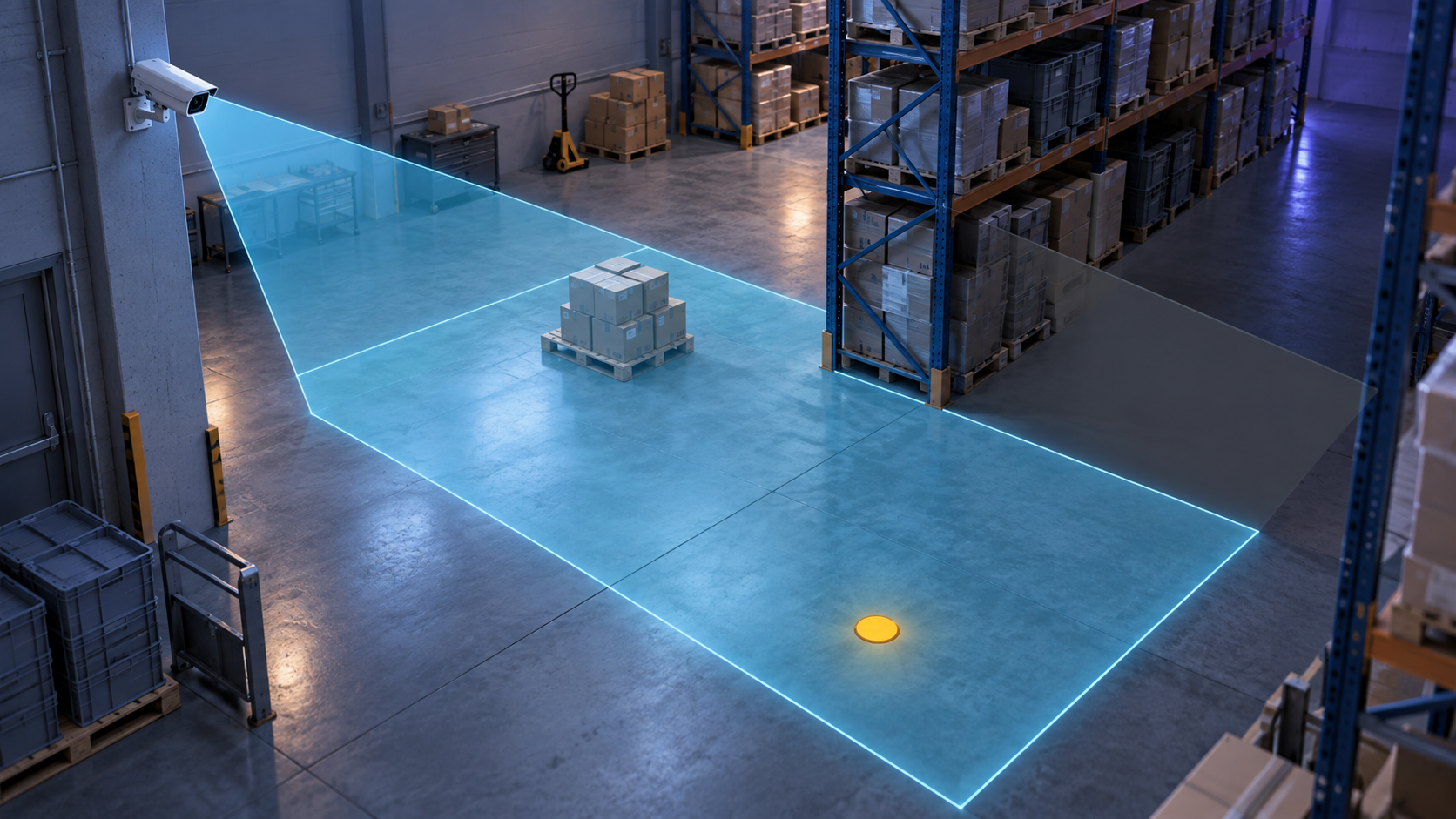
An analytics zone is a named part of a camera view where the event rule applies. It can be a doorway, a loading lane, a marked floor area, a queue line or a property entrance. The zone is useful only when the camera can show its boundary and the team can explain what counts as entry, presence, exit or occupancy.
Write the zone in business language first. “Loading area beside the marked gate during the agreed shift” is easier to review than “region of interest three.” The technical polygon can follow the business description.
Zone rule components
Name the boundary, the time window, the event, the excluded lookalikes and the reviewer. If a person stands on the boundary, decide whether that counts. If a forklift crosses the view without a person, decide whether it matters. If the scene changes after a shift, record which rule changes with it.
A zone is also a responsibility boundary. The team should know who checks the signal and what they write after the check. That record helps separate a poor view from an unclear operating rule.
Draw the proposed area on a representative frame, then describe the same area in words. If those two descriptions disagree, the rule needs clarification before implementation. The boundary should also say whether a person entering, leaving or standing at the edge creates the same event. Those distinctions are small in the interface and large in the review record.
Comparison: full frame and focused ROI
A whole-frame rule sees more pixels but often includes irrelevant movement. A focused region of interest narrows the event and can make review easier when the camera view is stable. The better choice depends on what the business needs to decide and whether the selected area remains visible across the operating conditions.
| Choice | Strength | Risk to test |
|---|---|---|
| Whole frame | Broad context | Unrelated movement can enter the rule |
| Focused zone | Clearer event boundary | Camera movement or layout change can invalidate it |
| Several zones | Different operating rules | Responsibility and testing become harder to track |
Zone test
- Mark the proposed boundary on a representative frame.
- Ask an operator to describe the event without seeing the technical label.
- Check the boundary during normal movement, unusual movement and relevant light.
- Record a case that should trigger and a similar case that should not.
- Ask the responsible person to confirm what action follows the signal.
NVIDIA describes region-based preprocessing and multi-source pipeline components in its DeepStream documentation. That is technical context for how a pipeline may be organized. It does not decide the correct business boundary for a warehouse, retail floor or office entrance.
Zone changes and retesting
A moved camera, changed floor marking or new work route can make a previous zone inaccurate. Record the change and retest the event before treating the old rule as active.
The owner of the zone rule
Assign one person to approve the boundary, schedule and response record. Without an owner, a technically valid region can remain operationally ambiguous.
Limits of a zone definition
A zone definition cannot restore a missing camera angle, improve a blurred object or remove a reflection that hides the event. It cannot decide whether a person intended to violate a rule. It also cannot turn a changing work area into a stable scene without a maintenance owner.
Axis image-quality guidance recommends connecting the view to its purpose and scene conditions. The Axis analytics overview provides industry context for scene analysis, not a custom aiVISION result. Keep those conditions beside the zone rule instead of assuming that the polygon remains valid forever.
Zone brief
- Business name and plain-language boundary.
- Camera, angle and relevant operating conditions.
- Event, time rule and excluded lookalikes.
- Responsible reviewer and action record.
- Conditions that require a retest.
Frequently asked questions
Can a zone be defined if the camera moves?
Only with a rule that accounts for the movement and a retest whenever the view changes. A fixed zone on a moving or re-aimed camera may no longer represent the same space.
Related reading
Who approves a change to the zone boundary?
Name the operational owner before implementation, then repeat the scene test when the camera, marking or schedule changes.
მასალა მომზადებულია AI-ის დახმარებით და გადამოწმებულია სარედაქციო ეტაპზე.
Describe the working route when choosing a zone. A person may cross it, stop for a short time or pass close to its edge. Writing these differences helps the team decide which condition is a signal and which is only context.
If a zone is handed to another team or shift, define the change owner in advance. A new marking, time rule or entrance should trigger a retest, or the old boundary may stop representing the changed workflow.
Add one short example to the zone brief: what happens when a person enters the zone and what happens when the person only appears at the edge. This reduces human interpretation during the test and helps the team apply one rule consistently.
After approval, link the zone description to the camera record and keep the decision owner visible. A small change in layout, lighting or view can attach the polygon boundary to a different event. Repeat the review when the team cannot distinguish movement inside the zone from movement outside it.