Retail queue video analytics: from busy area to team action
Connect a visible retail queue condition to a team action with existing cameras, a time rule and human review, while keeping sales claims outside the evidence.
- Author
- aiNOW სარედაქციო გუნდი
- Read time
- 8 min
- Published
In this note
- 01 · The retail queue scene
- 02 · A walkthrough of the first test
- 03 · Comparison: people counting and operational action
- 04 · The team response
- 05 · Limits of retail queue analytics
- 06 · Retail scene record
- 07 · Frequently asked questions
- 08 · Can a camera tell a store exactly why a queue formed?
- 09 · Related reading
- 10 · Can a queue signal prove that sales or satisfaction improved?
TL;DR: Retail queue analytics should connect a visible busy area to a team action, not to an automatic sales or service claim. Define the queue zone, the time rule, the responsible person and the review record. Discuss one retail scene before widening the workflow.
The retail queue scene
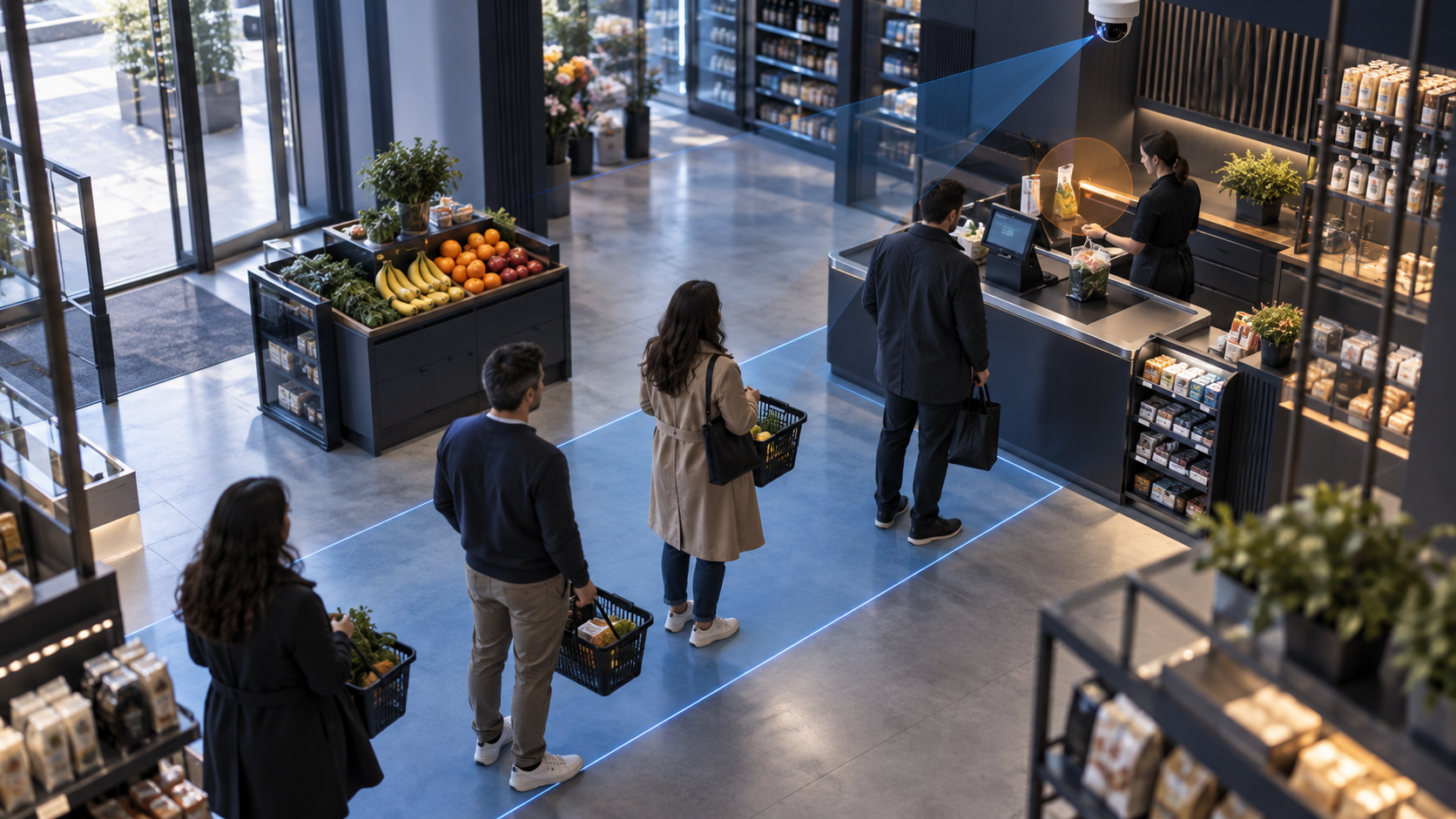
A queue event needs a visible area and a business decision. Choose the line, entrance or service desk that matters, then describe what the team will do when the agreed condition appears. A scene with several overlapping lines may need a narrower test than a single clearly bounded lane.
ONVIF Profile M describes metadata and events for analytics applications, including examples related to people counting and queue management. That is a protocol reference, not proof of a retail result or a particular aiVISION configuration.
A walkthrough of the first test
- Mark the queue or busy area on a representative frame.
- Write the condition that should create a review signal.
- Record ordinary movement, staff movement and a crowded scene.
- Send the context to the person responsible for the retail floor.
- Record whether the signal led to a useful action.
Axis describes video analytics as a way to produce actionable insights in its own portfolio. NVIDIA DeepStream documents streaming analytics pipelines. The implementation question remains local: does this camera view give the team enough context to choose the next action?
A useful queue brief names the entrance, checkout or service point, the schedule that matters and the person who can change staffing or request a review. It also records expected exceptions, such as a promotion, a temporary closure, a delivery trolley or a queue that is intentionally held. Without these conditions, the signal may call attention to normal activity and give the team no clear next step.
During the test, compare an ordinary busy period with the event the team actually cares about. Note where people merge, wait outside the marked area or move through the frame without joining a queue. Keep a short note for each unclear case. The purpose is to make the scene and action precise enough for a reviewer, not to imply that a visual count explains customer behavior.
Comparison: people counting and operational action
People counting describes an observed quantity or pattern. An operational alert connects a visible condition to a response rule. Counting may inform a later decision, while an alert asks a person to check an area now. The project should say which decision the signal supports and avoid claiming that a queue signal explains its cause.
The team response
Give the signal an owner, a review window and a record. If the responsible person is busy, define the escalation route. If the line is caused by a register problem, a stock question or a staffing decision, the camera cannot decide the cause. It can provide context for a human review.
Limits of retail queue analytics
A camera may not distinguish a queue from browsing, a group from separate visitors or a crowded background from the area that the business cares about. It cannot prove customer satisfaction, revenue or a staffing cause. Opening hours, layout and camera angle can change the result.
DeepStream's documentation describes a technical foundation for streaming analytics; it does not establish an aiVISION retail deployment.
Retail staff should be able to reject a signal without treating the rejection as a failure of the whole operation. A checkout queue can be visible while the cause is a register issue, a customer question or an agreed service delay. The review record should separate what the camera showed from what the team decided to do. A monthly custom service can configure this handoff after the store's cameras, schedule and response owner are assessed.
Retail scene record
- Queue boundary and time rule.
- Camera view and layout changes.
- Reviewer, escalation and action record.
- Cases that looked like queues but were not.
Frequently asked questions
Can a camera tell a store exactly why a queue formed?
No. It can provide a visual review signal. The reason and the operational response require a responsible person and store context.
Related reading
მასალა მომზადებულია AI-ის დახმარებით და გადამოწმებულია სარედაქციო ეტაპზე.
Can a queue signal prove that sales or satisfaction improved?
No. It can organize a review of a visible queue condition. Sales, satisfaction and the reason for a queue need separate operational evidence and a responsible decision.
Close the first test with a record that names the camera, queue boundary, schedule, reviewer and action. Include ordinary traffic, staff movement and the lookalikes that should not create a response. If the scene is not clear, the next step may be a narrower zone, a different angle or a pause while the store decides what evidence it needs.
Existing cameras can support a custom workflow when the view, stream and team handoff are suitable. A monthly service can configure the event and review path after that assessment. It should not turn a busy scene into an automatic claim about customers, revenue or staff performance.